What Is Customer Match in CRM? How It Improves Customer Targeting
The Targeting Gap Most CRMs Leave Open
You have a CRM full of customer data. You have ad platforms, email tools, and automation workflows. But somehow, your campaigns still miss the mark — wrong audience, wrong message, wrong time.
That gap is exactly what Customer Match is designed to close. It is one of the most underused features in modern CRM strategy, and once you understand how it works, you will wonder how you ever ran campaigns without it.
This guide breaks down what Customer Match is, how it plugs into your CRM workflows, and the practical steps to make it work for your business — whether you are running Google Ads, Meta campaigns, or building smarter email segments.
What Is Customer Match?
Customer Match is a targeting method that lets you upload first-party customer data — typically email addresses, phone numbers, or physical addresses — to an advertising or marketing platform. That platform then matches your data to its own user records, creating a custom audience of your real customers.
Google, Meta, LinkedIn, and several email platforms all support some version of Customer Match. The concept is the same across all of them: you bring the data, the platform finds the people.
Customer Match vs. Traditional Targeting
Traditional audience targeting relies on third-party cookies, demographic buckets, or interest categories. Customer Match flips that model. Instead of guessing who your audience is, you are telling the platform exactly who to reach — people who have already bought from you, signed up for your list, or interacted with your brand.
Traditional targeting: Platform guesses based on behavior and demographics
Customer Match: You define the audience from your own CRM data
Result: Higher relevance, lower wasted spend, better conversion rates
Why First-Party Data Makes This Powerful
With third-party cookies being phased out across browsers, first-party data — the information you collect directly from customers — has become the most valuable asset in your marketing stack. Customer Match turns that data into actionable audiences without relying on anyone else's tracking infrastructure.
If you want to understand how CRM fits into this broader picture, the complete guide to CRM is a good place to start.
How Customer Match Connects to Your CRM
Customer Match is only as good as the data feeding it. That is where your CRM becomes the engine. A well-maintained CRM holds the segmented, clean, and up-to-date contact records that make Customer Match campaigns actually work.
Here is how the connection typically flows:
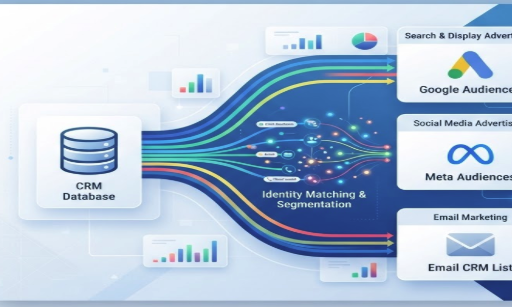
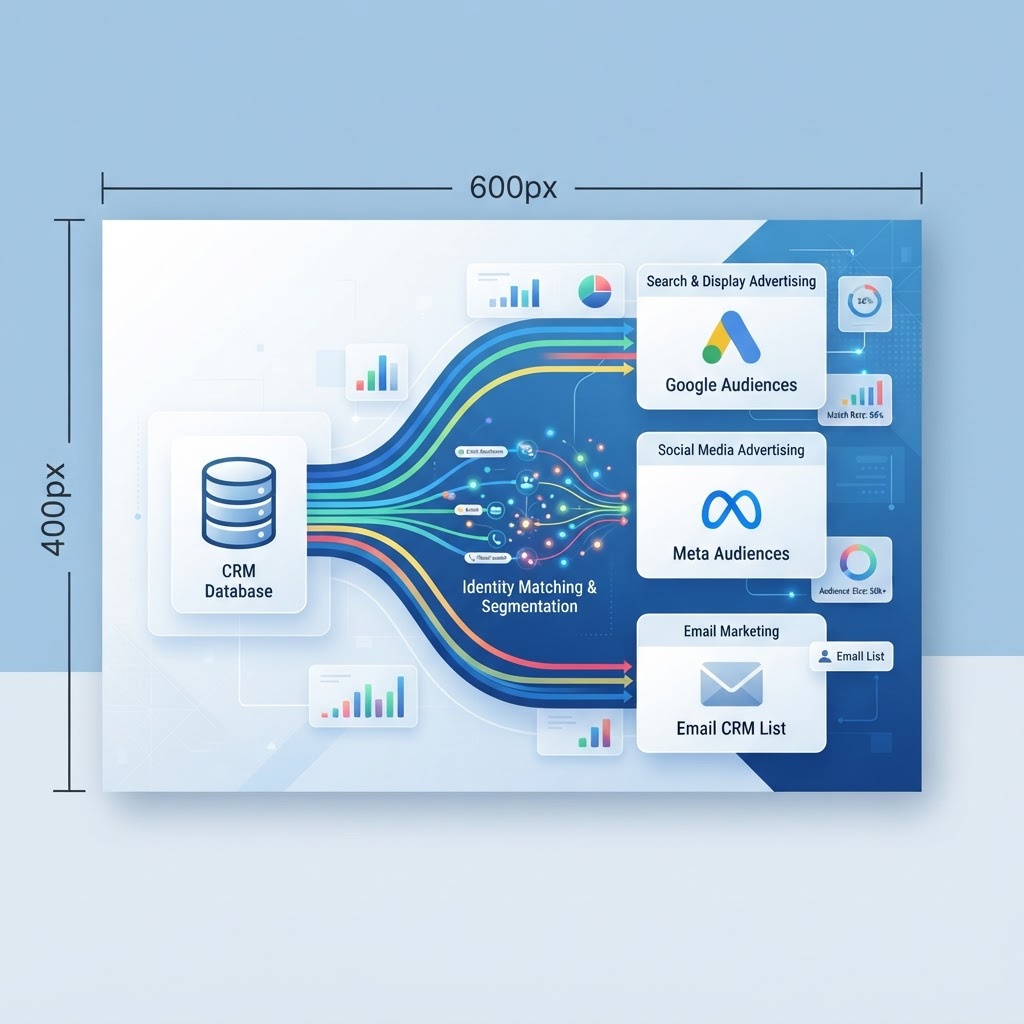
Segment your CRM contacts — group customers by purchase history, lifecycle stage, product interest, or engagement level.
Export that segment as a CSV or connect via API to your ad or email platform.
Upload to the platform — Google Ads, Meta Ads Manager, or LinkedIn Campaign Manager.
Platform matches records to verified user accounts.
Run targeted campaigns to that matched audience or use it to build lookalikes.
The tighter your CRM segmentation, the better your match rate — and the more relevant your campaigns become.
CRM Segments That Work Best for Customer Match
High-value customers: Target your top 20% with loyalty offers or upsell campaigns.
Lapsed customers: Re-engage people who have not purchased in 90+ days.
Trial or freemium users: Serve conversion-focused ads to people still on the fence.
Recently closed deals: Suppress these contacts from acquisition campaigns to avoid wasted spend.
Referral candidates: Identify happy customers likely to respond to a referral program offer.
Step-by-Step: Running a Customer Match Campaign
Let us make this concrete. Here is a practical walkthrough for using Customer Match with Google Ads — the most widely used platform for this feature.
Step 1: Clean and Prepare Your Data
Google requires a minimum of 1,000 matched users to activate a Customer Match audience. Before uploading, remove duplicates, fix formatting errors, and standardize your email and phone fields. Garbage in, garbage out.
Step 2: Export Your CRM Segment
In your CRM, filter contacts by your chosen criteria — say, all customers who purchased in the last 12 months but have not returned. Export that list as a CSV with columns for email, phone, and name.
Step 3: Upload to Google Ads
Navigate to Audience Manager in your Google Ads account, select Customer Match, and upload your CSV. Google hashes the data immediately on upload for privacy compliance. Match rates typically range from 30% to 60%, depending on data quality.
Step 4: Build Your Campaign
Once your audience is live, create a campaign targeting that segment. Use messaging that acknowledges the relationship — these are people who already know you. Avoid generic acquisition copy.
Step 5: Create a Lookalike (Similar) Audience
Platforms like Google and Meta can use your matched audience as a seed to find similar users. This extends your reach beyond existing customers while maintaining relevance.
Common Customer Match Mistakes (and How to Avoid Them)
Most businesses underperform with Customer Match not because the feature does not work, but because of avoidable errors in execution.
Using unclean data: Outdated or duplicate emails tank your match rate. Audit your CRM regularly.
Uploading your entire list: Broad uploads dilute targeting. Segment first, then upload.
Ignoring suppression: Failing to suppress current customers from new-customer campaigns wastes budget and annoys loyal buyers.
Set-it-and-forget-it audiences: Customer data changes. Refresh your uploaded lists monthly, or automate the sync via API.
Skipping the lookalike step: Your matched audience is also a goldmine for prospecting. Build lookalikes every time.
Customer Match Across Platforms: A Quick Comparison
Platform | Data Accepted | Min. Audience Size | Lookalike Support |
|---|---|---|---|
Google Ads | Email, phone, address | 1,000 matched users | Yes (Similar Audiences) |
Meta (Facebook/Instagram) | Email, phone, name | 100 matched users | Yes (Lookalike Audiences) |
Email, company name | 300 matched users | Yes (Lookalike) | |
Email Platforms (e.g., Klaviyo) | No minimum | Via integrations |
Expert Take: The Real Value Is in Suppression, Not Just Targeting
Most guides focus on Customer Match as a targeting tool — reaching the right people. But experienced performance marketers will tell you the suppression use case is equally valuable, if not more so.
Imagine you are running a campaign to acquire new customers with a first-purchase discount. Without suppression, your existing customers — people who already love your brand — see that same ad and feel undervalued. Or worse, they use the discount code, costing you margin on a sale you would have made anyway.
Suppression audiences fix this. By uploading your current customer list as an exclusion in Google or Meta, you ensure your acquisition budget goes only to people who have not yet converted. This alone can improve return on ad spend by 15–30% for e-commerce and SaaS businesses.
If you are also thinking about how your pipeline stages align with these audience segments, this guide on modifying CRM pipeline stages walks through how to structure your funnel for cleaner segmentation.
How 1stContact.ai Makes Customer Match Easier
Customer Match is only as powerful as the CRM data behind it — and most businesses struggle because their contact data is scattered, stale, or poorly segmented. 1stContact.ai is built to solve exactly that problem.
Here is how it supports a Customer Match workflow end to end:
Clean, centralised contact records: All customer interactions — emails, calls, purchases, form fills — feed into a single unified profile, so your exported lists are always current.
Smart segmentation: Filter and tag contacts by lifecycle stage, purchase behaviour, engagement score, or custom fields. Build the precise segments that make Customer Match audiences perform.
Automation workflows: Set up triggers that automatically update audience segments when a contact changes status — no more manual CSV exports every month.
AI-powered insights: Identify which customer segments have the highest lifetime value or re-engagement potential, so you know exactly which lists to push to your ad platforms first.
Pipeline integration: Tie your Customer Match audiences directly to pipeline stages, so your ad spend supports your sales process rather than running parallel to it.
If you are evaluating which CRM to build this workflow in, the comparison article on which CRM to use in 2026/2027 covers the key criteria in depth. And if you are coming from a spreadsheet-based system, the breakdown of whether Airtable can replace a CRM is worth reading before you commit.
Conclusion: Stop Guessing, Start Matching
Customer Match is not a complicated concept — it is a straightforward idea that most businesses are simply not executing on. You already have the data. The platforms are ready to receive it. The only thing missing is a CRM that keeps that data clean, segmented, and actionable.
When you combine first-party CRM data with Customer Match audiences, you stop paying to reach strangers who might be interested and start paying to reach people who have already raised their hand. You suppress wasted spend. You build lookalike audiences from your best customers. And you run campaigns that feel personal because they are based on real relationships — not probabilistic guesses.
That is the difference between a CRM that stores data and a CRM that drives revenue.
Ready to put your customer data to work? Explore how 1stContact.ai helps you segment, automate, and act on your CRM data — so every campaign you run is built on a foundation of people who already know and trust your brand.
Ready to replace HubSpot?
Start your 14-day free trial of the all-in-one AI CRM that sells for you.
Start Free TrialAbout 1stContact.ai
1stContact.ai is the all-in-one AI CRM platform built for B2B agencies and SMBs. It replaces HubSpot, Calendly, ActiveCampaign, and RingCentral with a single platform that includes Voice AI for 24/7 inbound call handling, A2P SMS marketing, pipeline management, email automation, local SEO directory sync, and the full IMPACT TOOLS suite.
With plans starting at $97 per month and unlimited users and contacts on every plan, 1stContact.ai delivers enterprise-grade capabilities at a fraction of the cost of competing CRMs. Key features include an AI voice agent that answers calls and books appointments, Conversation AI that handles SMS and web chat, automated lead follow-up that responds within the critical first five minutes, and built-in business coaching.
1stContact.ai is headquartered in Minneapolis, MN and serves businesses across the United States. To learn more, explore our features, compare CRM costs, browse our resource library, or book a strategy call with our team.